Moderation
Chatterino contains a slew of features to assist moderators in moderating.
Chat Mode
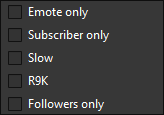
You can easily change the chat modes in Chatterino using the button on the streamer bar.

You can choose from: Emote only, Subscriber only, Slow mode, R9K mode and Followers only mode.
Logging
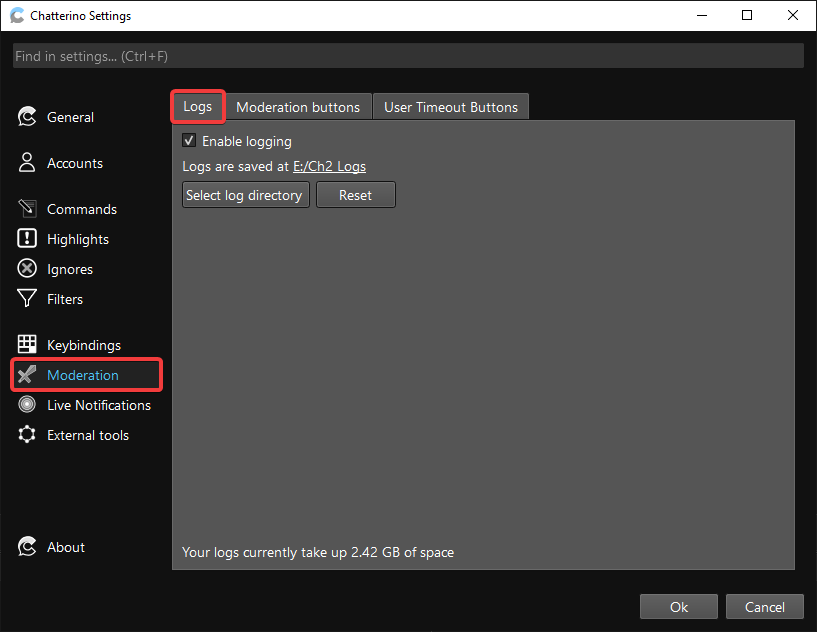
Users are able to log all the channels they are in using the logging feature. This writes the messages to a text file with date and time. You can choose a timestamp format or none, log only selected channels from a list, and have each stream logged to separate files.
An example log file is shown below:
[13:39] connected
[13:39] joined channel
[13:39] marinapicher: daba mal rollito
[13:39] nacari07: Aduana
[13:39] bizen_fg has been timed out for 5m.
[13:40] nakoabro: Jajajajaja
[13:40] lui01010: Holaaaa
[13:40] lui01010 subscribed at Tier 1. They've subscribed for 2 months, currently on a 1 month streak!
[13:43] A message from davidpol91 was deleted: Lskcjdjxjdjdjdndjddjdjdjdjxxjxbxbxbxbxbx
[13:44] brennu1retardado has been permanently banned.
[13:44] theflipper__: !visit h
[13:44] karolfunez23: auronRisitas
[13:44] eliotgame34: !vicit m
Moderation Mode
Moderation mode is enabled by clicking  in a channel that you moderate. Available variables are
 {user.name}, {msg.id}, {msg.text} & {channel.name}. Below is a list of examples that can be used:
| Function | Action |
|---|---|
| Ban a user | /ban {user.name} |
| Unban a user | /unban {user.name} |
| Timeout a user | /timeout {user.name} 600 |
| Delete a user's message | /delete {msg.id} |
| pajbot2 report | /w botname #{channel.name} !report {user.name} being rude |
| pajbot2 longreport | /w botname #{channel.name} !longreport {user.name} being very rude |
| Open the user's usercard | /user {user.name} |
| pajbot banphrase | /w botname !add banphrase {msg.text} |
User Timeout Buttons
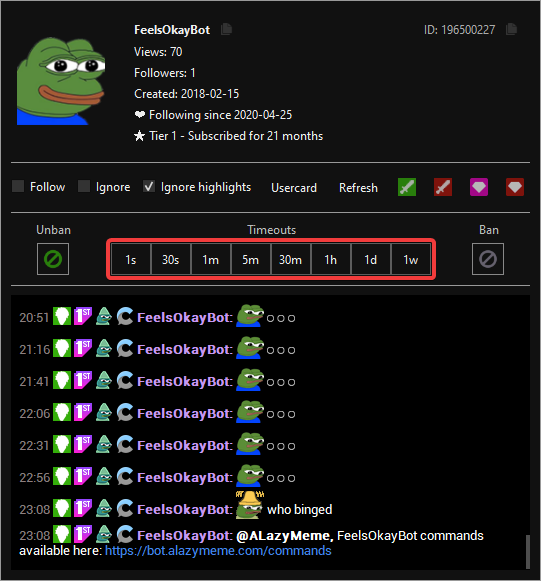
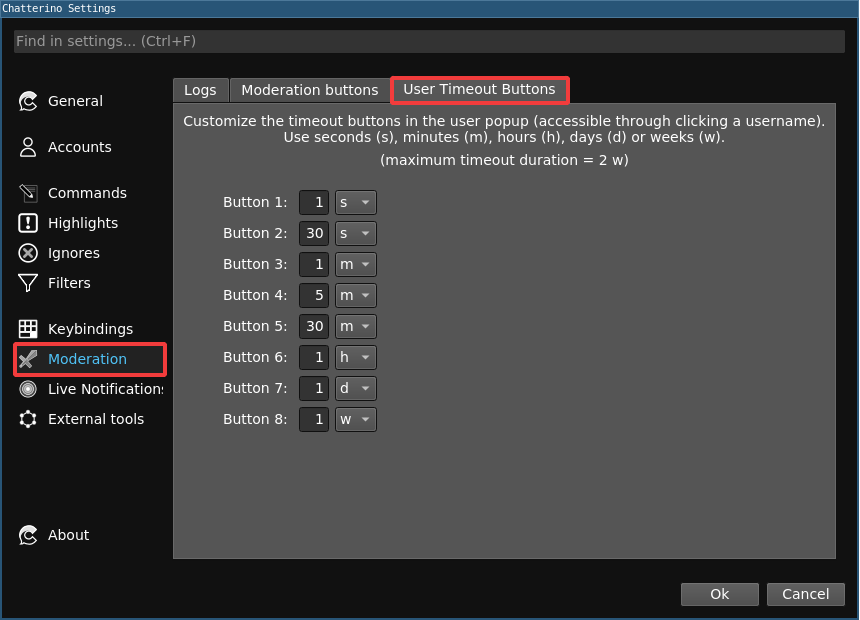
User timeout buttons are very useful while looking at a user's logs. All 8 buttons can be configured to various timeout lengths:
User timeout buttons look like this: